You're poking around in a config file, a browser's dev tools or a weird email, and you hit a wall of gibberish like QWxhZGRpbjpvcGVuIHNlc2FtZQ==. It looks scrambled. It looks secret. It ends in two equals signs for some reason.
Congratulations, you've met Base64.
Short answer: Base64 is a way of turning any data (images, files, passwords, random bytes) into plain text made from just 64 safe characters: A to Z, a to z, 0 to 9, plus + and /. It exists so binary data can travel through systems that only handle text. It is not encryption. Anyone can turn Base64 back into the original data in one command, no key or password needed.
So what is Base64 actually doing, why does it end in =, and why do people keep mistaking it for security? Let's take it apart.
What Is Base64?
Base64 is an encoding scheme. An encoding is just a different way of writing the same information, the way Morse code is a different way of writing letters. Nothing is hidden. It's a translation with a public dictionary.
The "64" is the size of its alphabet. Base64 writes everything using exactly 64 characters, defined in RFC 4648, the internet standard for it:
AtoZ(values 0 to 25)atoz(values 26 to 51)0to9(values 52 to 61)+and/(values 62 and 63)
There's also a 65th character, =, which isn't data at all. It's padding, and we'll get to it.
Why those characters? Because they're boring. Every computer, email server and text system since the 1970s agrees on what they look like. No accents, no control codes, nothing that a grumpy old mail server might mangle or treat as a command. If you've read our piece on ASCII vs Unicode, these are the safest, plainest ASCII characters there are.
How Does Base64 Encoding Work?
Computers store everything as bytes, and each byte is 8 bits (8 ones and zeros). Base64 works in chunks of three bytes at a time:
- Take 3 bytes. That's 24 bits.
- Chop those 24 bits into four groups of 6 bits.
- Each 6-bit group is a number from 0 to 63.
- Look up that number in the alphabet and write down the character.
Three bytes in, four characters out. Every time.
Here's the classic example, the word Man, encoded on a real Linux machine:
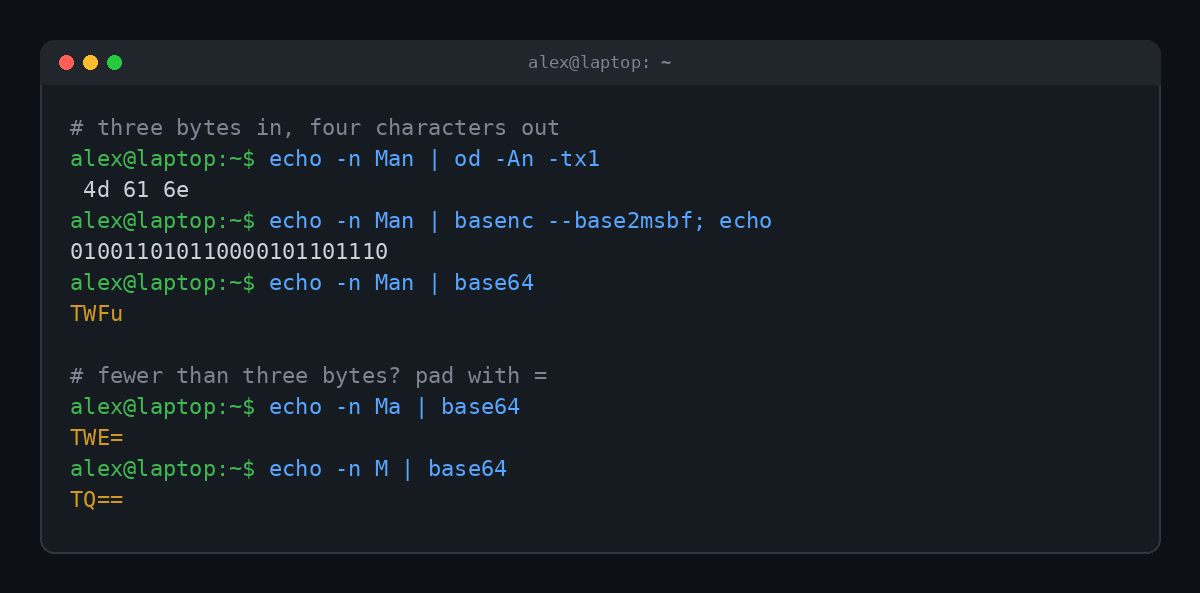
The letters M, a and n are the bytes 4d 61 6e. In binary that's 010011 010110 000101 101110 once you split it into 6-bit groups. Those groups are 19, 22, 5 and 46. Look them up in the alphabet and you get T, W, F and u. So Man becomes TWFu.
No magic. Just arithmetic and a lookup table.
Why does Base64 end with = or ==?
Data doesn't always come in neat groups of three bytes. When the last chunk is short, Base64 fills the gap with zero bits and marks the missing spots with =:
- 3 bytes left over: no padding (
ManbecomesTWFu) - 2 bytes left over: one
=(MabecomesTWE=) - 1 byte left over: two
==(MbecomesTQ==)
That's why you'll never see three equals signs at the end of valid Base64. It's also a handy tell. A string of letters and numbers that ends in = or == is very often Base64.
Is Base64 Encryption?
No. This is the single most important thing to know about Base64, and the reason it keeps showing up in security incidents.
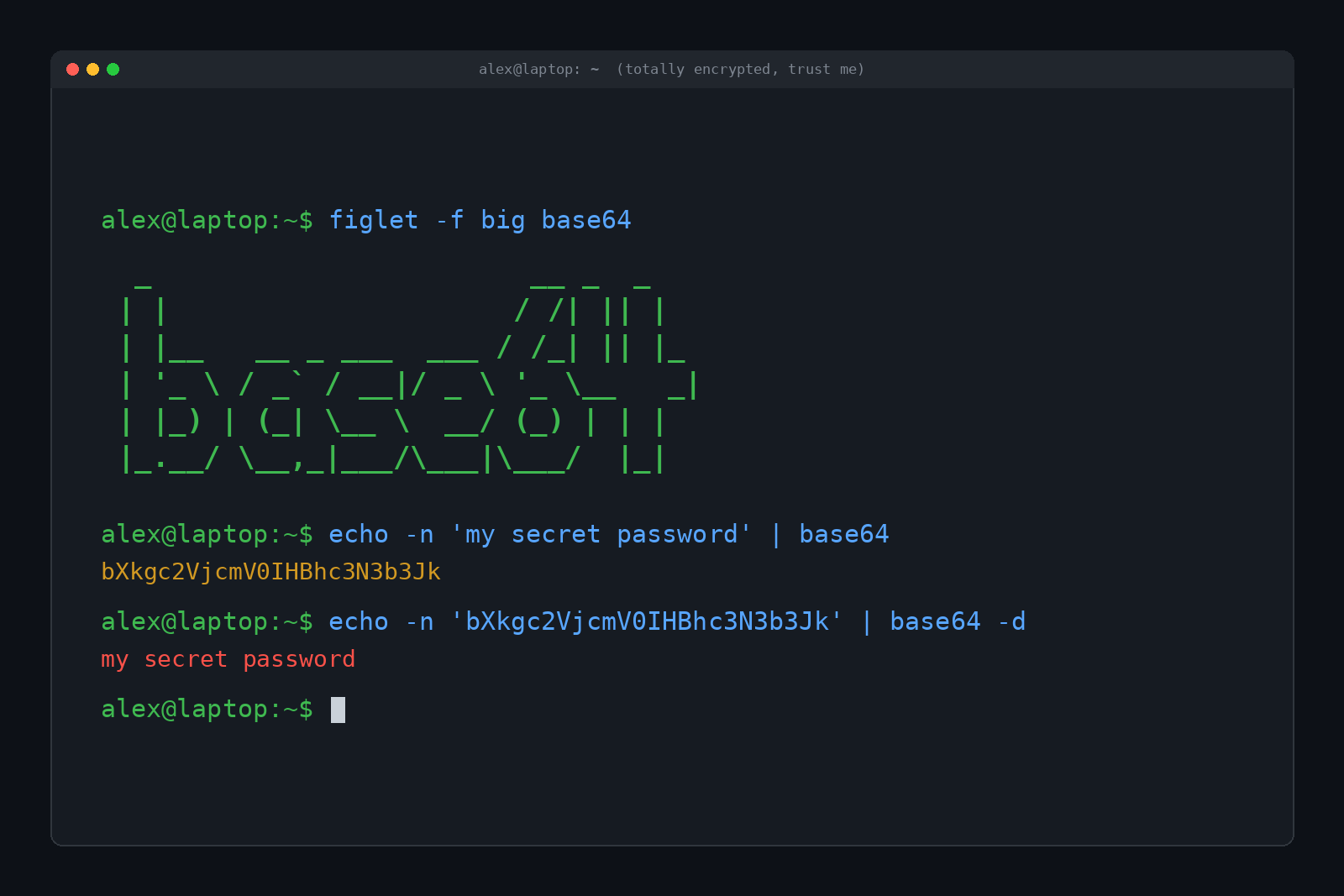
Encryption scrambles data with a secret key, so only someone with the key can read it. Encoding just rewrites data in a different format, using rules that are published for everyone. Base64 has no key. The "dictionary" is printed in an RFC. Decoding it takes one command:
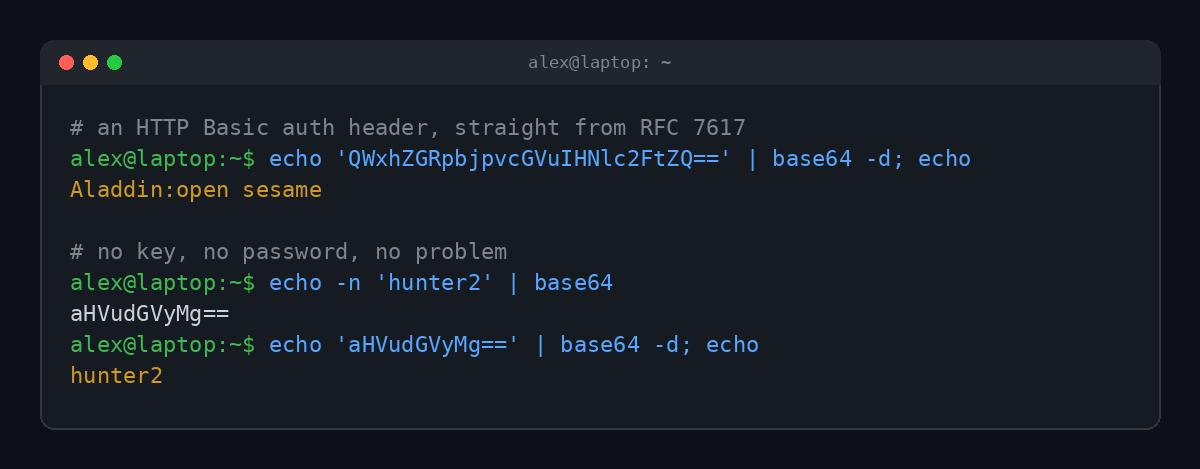
That first string is real. It comes straight from RFC 7617, the spec for HTTP Basic authentication. When a website uses Basic auth, your browser sends your username and password in a header like this:
Authorization: Basic QWxhZGRpbjpvcGVuIHNlc2FtZQ==Decode it and you get Aladdin:open sesame. Username, colon, password. The RFC itself says the credentials travel as cleartext and that Basic auth shouldn't be used to protect anything sensitive without HTTPS wrapped around it. That's why the padlock matters, which we covered in What Does "Your Connection Is Not Private" Mean?
Where Base64 gets mistaken for security
Because Base64 looks like gibberish, people treat it like a lock. It isn't. A few real places this bites:
- Passwords "hidden" in config files. If a password is stored as Base64, it's stored in plain text with extra steps.
- Kubernetes Secrets. The values in a Secret are Base64 encoded, which trips up a lot of people. The Kubernetes docs warn that Secrets are stored unencrypted by default unless you turn on encryption.
- Tokens and cookies. Many login tokens, like JSON Web Tokens (JWTs), are just Base64 encoded chunks of JSON. Paste one into a decoder and you can read everything inside. The signature stops people from changing it, not from reading it.
- Malware and phishing. Attackers use Base64 the other way around: to hide malicious scripts from casual eyes and simple filters. PowerShell even has a built-in
-EncodedCommandswitch that takes a Base64 encoded script. Security tools flag long Base64 blobs in command lines for exactly this reason.
If you want data to be secret, encrypt it with a real algorithm and a real key. If you want to store passwords, hash them properly (our post on how hackers get passwords shows what happens when sites skip that step).
Where Did Base64 Come From?
Blame email.
Early internet email was built for plain English text. The mail system assumed 7-bit ASCII, short lines and nothing fancy. Send a raw image or a program through it, and bytes would get stripped, lines would get broken and your attachment would arrive as soup.
So people invented ways to dress binary data up as text. Unix users had uuencode for years. Then the encoding we now call Base64 showed up in the Privacy Enhanced Mail standard (RFC 1421, 1993), and got its famous name in MIME (RFC 2045, 1996), the standard that made email attachments work. RFC 4648 pulled the rules together into one clean spec in 2006.
Your email still does this today. Every photo you attach gets quietly turned into Base64 text, shipped, and turned back into a photo on the other end. MIME even caps Base64 lines at 76 characters, a rule your terminal still follows by default (more on that below).
Why Is Base64 Bigger Than the Original?
Remember: three bytes in, four characters out. That means Base64 output is about a third bigger than the data it started with. MDN puts it the same way: roughly 33% larger.
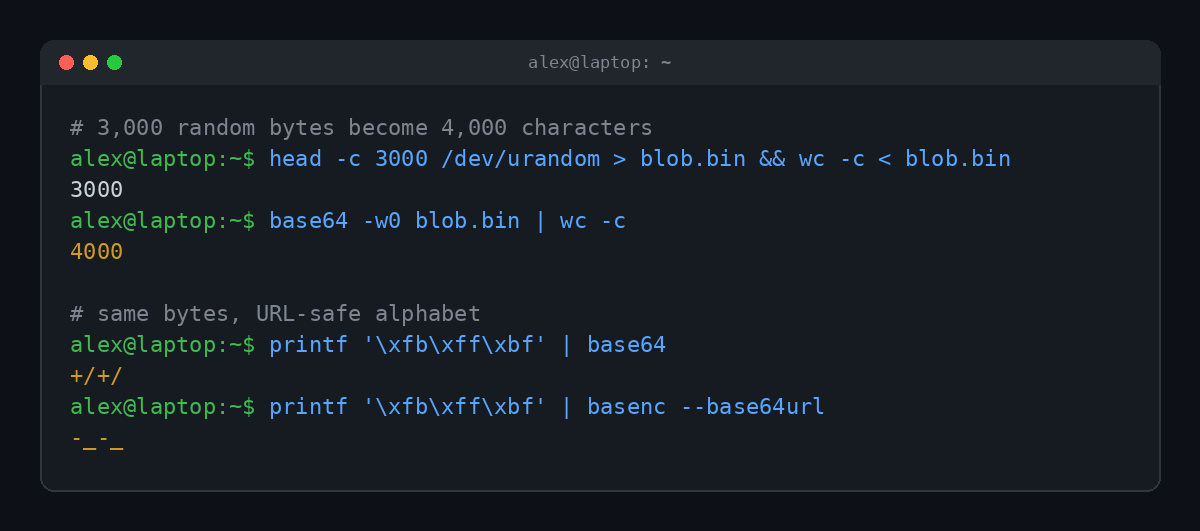
3,000 random bytes became exactly 4,000 characters. (Run base64 without -w0 on the same file and you get 4,053, because it adds a line break every 76 characters, the old MIME rule.)
That overhead is why Base64 is great for small stuff and bad for big stuff. Embedding a tiny icon directly in a web page as a data: URL saves a network request. Embedding a 5 MB photo that way makes the page heavier and slower.
Base64 vs Base64url
There's one annoying problem with the standard alphabet: + and / already mean things in web addresses. A slash splits a URL into folders, and a plus can turn into a space. Drop normal Base64 into a URL and things break.
So RFC 4648 also defines base64url, which is identical except for two characters:
| Value | Base64 | Base64url |
|---|---|---|
| 62 | + | - |
| 63 | / | _ |
| Padding | = (usually kept) | Often left off |
| Common in | Email, data URLs, Basic auth | JWTs, URLs, filenames |
If a Base64 string has dashes and underscores in it and no equals signs on the end, you're probably looking at base64url. Decoders usually need to be told which one it is.
How to Decode Base64 Yourself
You don't need a sketchy website to decode a string, and you probably shouldn't paste tokens or credentials into one anyway. Your computer already knows how:
| Where | Encode | Decode |
|---|---|---|
| Linux / macOS terminal | echo -n 'hi' | base64 | echo 'aGk=' | base64 -d |
| Windows PowerShell | [Convert]::ToBase64String([Text.Encoding]::UTF8.GetBytes('hi')) | [Text.Encoding]::UTF8.GetString([Convert]::FromBase64String('aGk=')) |
| Browser console (JavaScript) | btoa('hi') | atob('aGk=') |
| Python | base64.b64encode(b'hi') | base64.b64decode('aGk=') |
Two gotchas. On Linux, use echo -n, or the invisible newline at the end gets encoded too and you'll get a different answer than everyone else. And in the browser, btoa() chokes on emoji and most non-English characters. Newer browsers also have Uint8Array.prototype.toBase64(), which works on raw bytes and became widely available across browsers in 2025.
On older macOS versions the decode flag is -D instead of -d. Because of course it is.
FAQ
What is Base64 used for?
Moving binary data through text-only systems. Email attachments, images embedded in web pages and CSS, HTTP Basic auth headers, login tokens and API payloads all use it.
Is Base64 safe for passwords?
No. Base64 can be reversed instantly by anyone. Passwords should be hashed with a proper password hashing algorithm, and anything secret should be encrypted.
How can I tell if a string is Base64?
Look for only letters, numbers, + and /, a length that's a multiple of 4, and often one or two = at the end. The surest test is to decode it and see if something sensible comes out.
Why is it called Base64?
Because it counts in base 64, the same way normal numbers count in base 10. Each character stands for one of 64 values, which is exactly 6 bits.
Is Base64 the same as hashing?
No. Hashing is one way, so you can't get the original back. Base64 is fully reversible by design. Same input, same output, and it always decodes back.
TL;DR
Base64 rewrites any data as plain text using 64 safe characters, three bytes at a time, with = padding on the end when the math comes up short. It was invented so email could carry attachments, and it makes data about a third bigger. It is an encoding, not encryption: anyone can decode it in one command, so never trust it to keep a secret.