You click a link, the page loads, and instead of the article you wanted you get a big sad number: 404. Maybe there's a cartoon of a lost astronaut. Maybe it's just plain white text. Either way, the thing you came for isn't there.
Short answer: a 404 Not Found error means your browser reached the website just fine, but the server couldn't find anything at that exact address. The page was moved, deleted, renamed or never existed. The site is up. That one URL is a dead end.
So why does the internet say "404" instead of "page missing"? Where did the number come from? And is there anything you can do about it? Grab a coffee. We're going hunting for things that aren't there.
What Does 404 Not Found Mean?
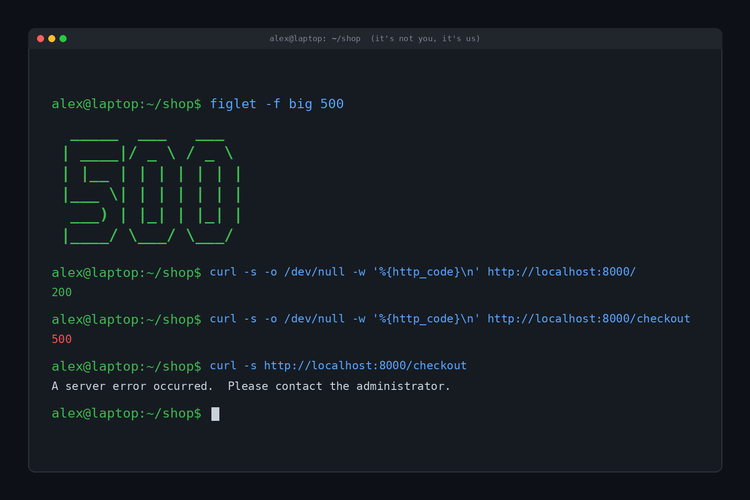
Every time your browser asks a server for a page, the server answers with a three digit HTTP status code before it sends anything else. Most of the time that code is 200, which means "OK, here you go," and you never see it.
When the code is 404, the server is saying: "I heard you. I looked. There's nothing at that address."
The official wording lives in RFC 9110, the 2022 spec that defines HTTP's status codes. It says a 404 means the server didn't find a current representation of what you asked for, or isn't willing to disclose that one exists. Hold on to that second part. It comes back later.
The first digit tells you who's to blame, at least in theory:
- 2xx: it worked.
- 3xx: it moved, go look over there.
- 4xx: the request has a problem (the client side).
- 5xx: the server has a problem.
So 404 lives in the "client error" family next to our namesake, the 403 Forbidden error. "Client error" sounds like an accusation, but in practice a 404 is usually the site's fault. You clicked a link they published. They moved the page and didn't leave a forwarding address.
What a 404 Actually Looks Like Up Close
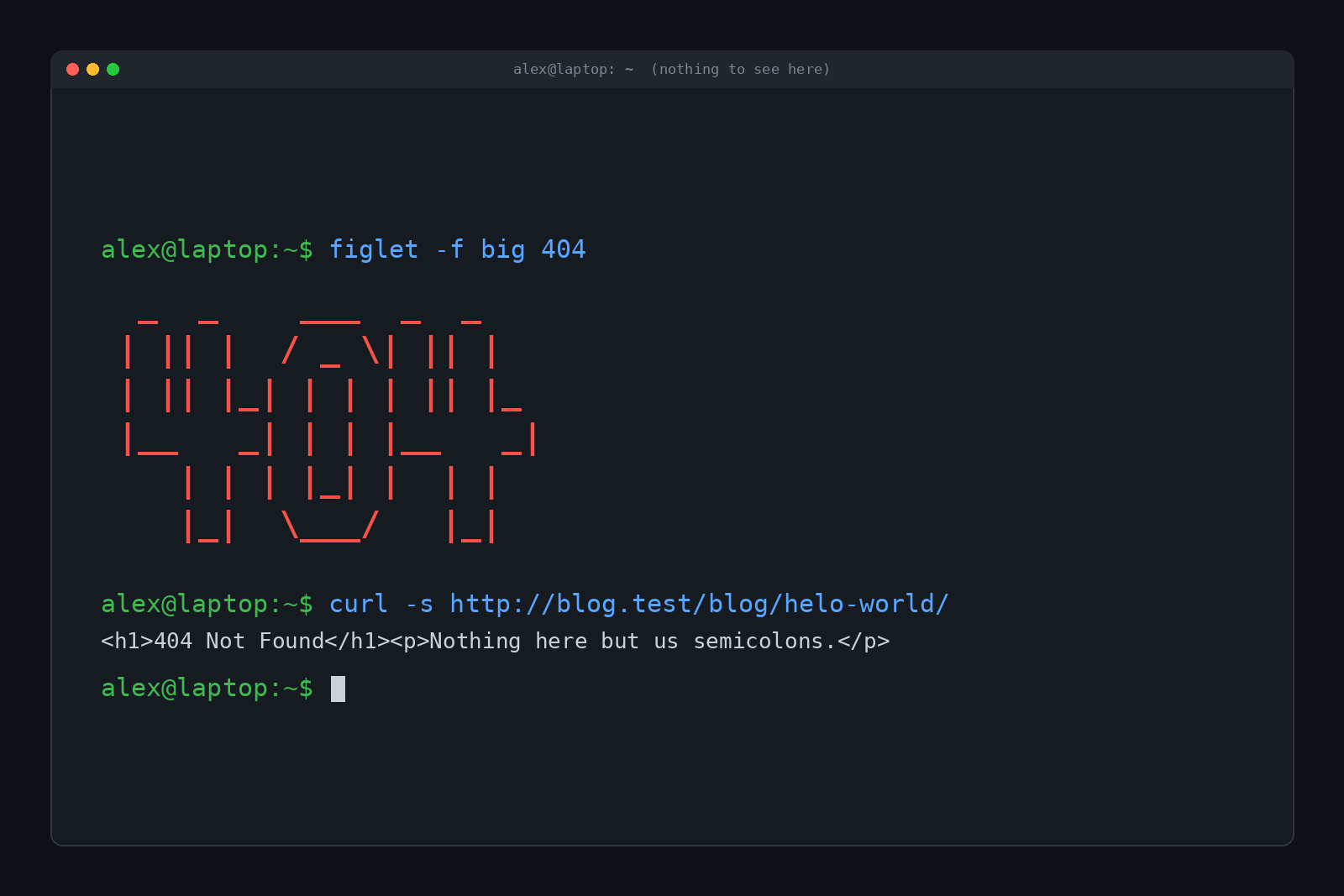
Your browser hides the raw conversation, so we built a tiny test web server and asked it for a page with a typo in the URL. Here's exactly what came back, headers and all:
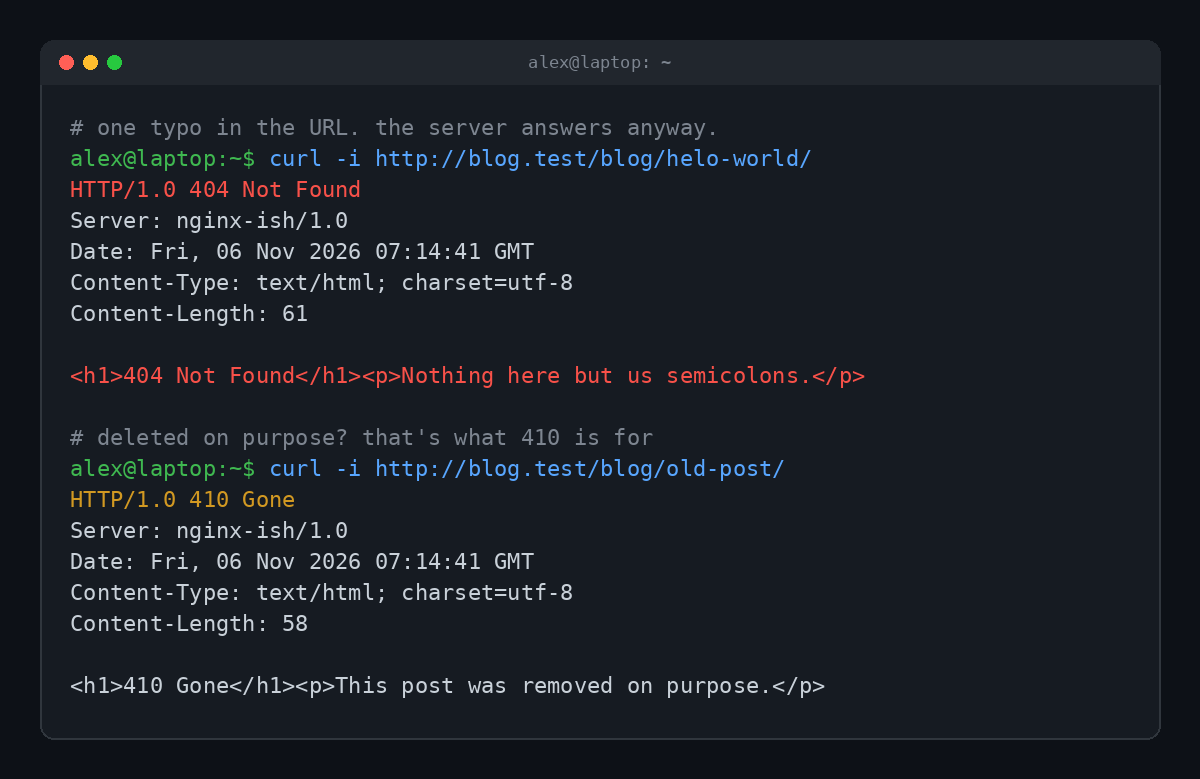
Notice that the server answered right away and happily. It sent headers, a date and a little HTML page. Nothing is broken here. The server just has nothing to give you at that address, so it hands over an error page instead.
That error page is the part you see in your browser. Big sites dress it up with jokes, search boxes and illustrations. Small sites leave the default. Either way, the status code underneath is what actually matters to browsers, search engines and anything else reading the response.
Why Is It Called 404? (The Myth and the Boring Truth)
This is where the internet gets creative.
The folklore: the story goes that the web was born at CERN, the physics lab in Switzerland, and the first web servers lived in Room 404 on the fourth floor. When someone requested a file that didn't exist, the staff in Room 404 had to report back that it couldn't be found. Hence "404."
It's a great story. It's also not true. CERN's own wiki calls it a popular internet myth, and web co-creator Robert Cailliau has said the number wasn't linked to any physical room.
The boring truth: the codes were simply designed as a numbering system. Tim Berners-Lee's early HTTP notes, preserved on the W3C's site from 1992, already list them in order: 400 Bad Request, 401 Unauthorized, 402 Payment Required, 403 Forbidden, and then "Not found 404: The server has not found anything matching the URI given."
So 404 is the fifth entry in the "your request has a problem" list. That's it. That's the whole origin story. (We prefer the room version too, but we only print the true one.)
What Causes a 404 Error?
A 404 always means the same thing: no page at that address. The reasons it happens are a bit more varied.
- A typo in the URL. One wrong letter and the server is looking for a page that has never existed. Our test server above is a good example:
helo-worldinstead ofhello-world. - The page was moved. Someone renamed it or reorganized the site and didn't set up a redirect from the old address.
- The page was deleted. Old products, expired promos and retired blog posts vanish all the time.
- A broken link. Another site (or the same site) links to an address that's wrong or out of date. This slow decay of links across the web is called link rot.
- Case sensitivity. On many servers,
/Aboutand/aboutare different addresses. Only one of them exists. - It's hiding something on purpose. More on this in a minute.
Not every 404 comes from a human, either. Bots constantly poke websites for files that might exist, like old WordPress login pages or leaked config files. Here's a peek at our test server's log after a short session that included a typo and a few bot-style probes:
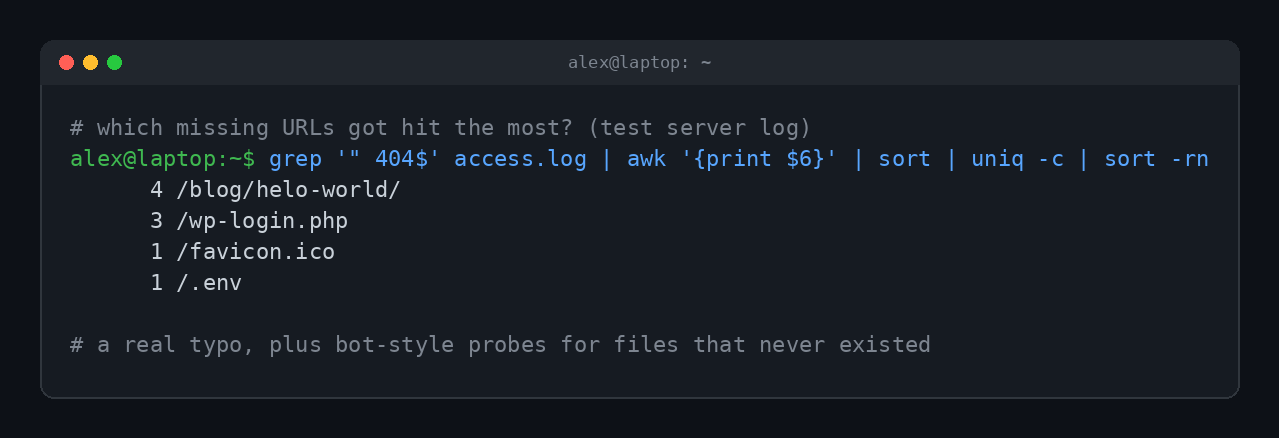
If you run a site, this is the most useful 404 trick there is. A page that keeps getting 404 hits from real visitors is a link you should fix or redirect. A pile of hits on /.env is just the internet rattling doorknobs.
When a 404 Is Lying to You
Remember that phrase from the spec? A server can send a 404 when it isn't willing to disclose that something exists.
GitHub is the classic example. If you try to open a private repository you don't have access to, you don't get a 403 Forbidden. You get a 404. GitHub's documentation explains why: it uses a 404 instead of a 403 so it never confirms that a private repository exists.
Think about it. A 403 says "that exists, and you can't have it." A 404 says "never heard of it." For anything sensitive, the second answer gives an attacker less to work with. So sometimes a 404 isn't a missing page. It's a polite bouncer pretending the club doesn't exist.
404 vs 410 vs Soft 404
404 has a few close relatives that look similar but mean different things.
| What you get | Status code | What it means |
|---|---|---|
| 404 Not Found | 404 | Nothing here right now. Could be temporary, could be forever. |
| 410 Gone | 410 | It was here, it was removed on purpose, and it isn't coming back. |
| Soft 404 | 200 | The page says "not found," but the server reports success. |
| 403 Forbidden | 403 | It exists (probably), but you're not allowed to see it. |
| 301 / 308 redirect | 301 or 308 | It moved permanently. Your browser follows it to the new address. |
The spec and MDN's 404 reference both point out that a plain 404 doesn't say whether the absence is temporary or permanent. If a site knows a page is gone for good, a 410 is the more honest answer.
The sneaky one is the soft 404. That's when a site shows you a "page not found" message but tells the browser everything is fine with a 200 code. Here's one from our test server, next to the real thing:
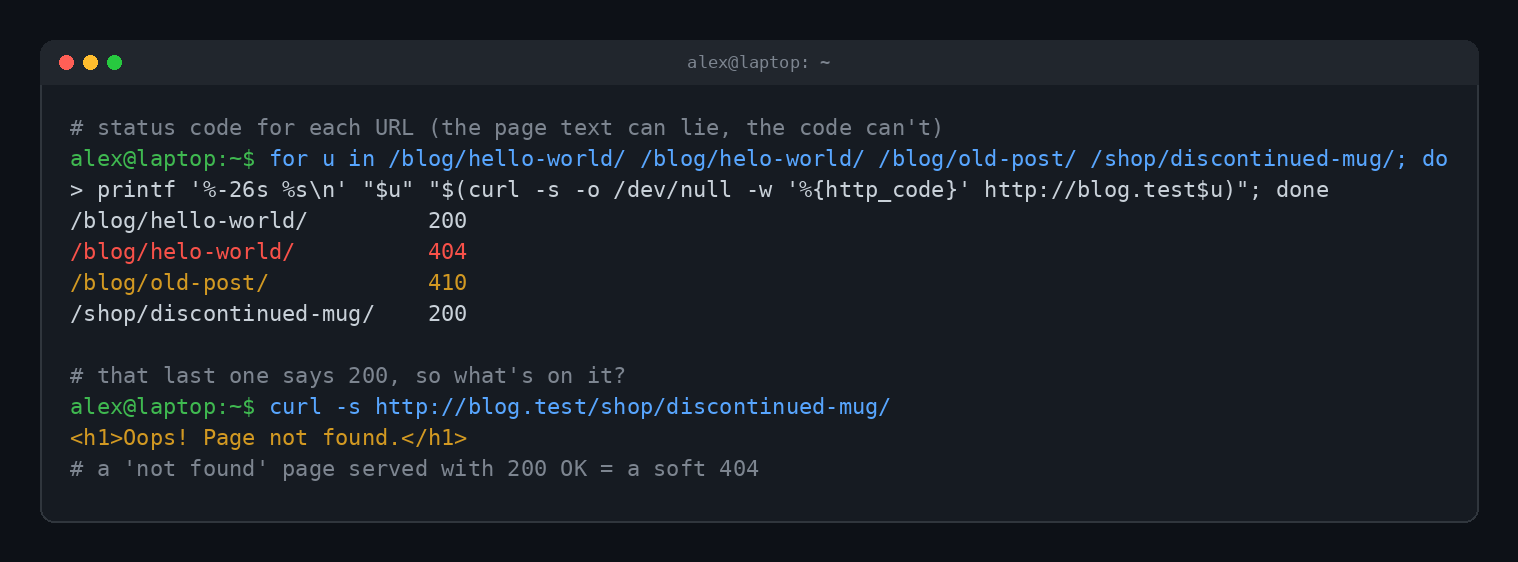
Humans can't tell the difference. Search engines can, and they don't love it. Google's documentation says it may flag pages like this as soft 404 errors in Search Console, because a page that claims success while showing an error is confusing for everyone.
How to Fix a 404 Error (as a Visitor)
You can't make a missing page reappear, but you can often find where it went.
- Check the URL for typos. Look for missing letters, extra slashes, or a stray character at the end that got pasted in by accident.
- Reload once. Rarely, a 404 is a blip during a site update. One refresh is cheap.
- Chop the URL back. Delete everything after the last slash, or go up a level.
example.com/blog/some-postbecomesexample.com/blog/. You'll often land on a list that has the page under a new name. - Use the site's search box. If the page was renamed, searching for its title usually finds it.
- Search the web for the page title. Search engines often know the new address before old links get updated.
- Try the Wayback Machine. The Internet Archive at web.archive.org keeps snapshots of a huge chunk of the web. Paste the dead URL in, and you may see the page as it used to be.
- Clear the cache if only you see it. If a friend can open the page and you can't, your browser may be holding an old copy of the error. Clearing the browser cache for that site usually sorts it out.
How Site Owners Fix 404s
If the 404s are on your site, the fix depends on why the page is missing.
- Moved a page? Add a 301 redirect from the old address to the new one. Visitors and search engines both follow it.
- Deleted it for good? Let it 404, or return a 410. Don't redirect everything to the homepage. That just turns your missing pages into confusing soft 404s.
- Broken internal links? Fix the link at the source. A link checker or your server's access log (like the one above) will show you where visitors are falling into holes.
- Make a useful 404 page. Keep the real 404 status code, but give people a search box, a few popular links and maybe a joke. Plenty of sites have turned their 404 page into a small piece of art.
Do 404s hurt your search rankings? Not really. Google's documentation says URLs that return 4xx codes get dropped from its index over time, which is exactly what you want for pages that are gone. A Google Search Central post literally titled "Do 404 errors hurt my site?" lands on the same calm answer: missing pages are a normal part of the web. The real cost is the visitor who hit a dead end and left.
And because 404 has become the internet's universal symbol for "I have no idea where that went," it's also one of the few error codes people wear on purpose:
404 and Its Neighbors
If 404 is the most famous error code, the rest of the family deserves a mention too:
- 403 Forbidden: the page exists, but the server won't let you in.
- 418 I'm a Teapot: an April Fools' joke that refused to die. We covered it in What Is a 418 I'm a Teapot Error?
- 500 Internal Server Error: the server broke and can't explain why.
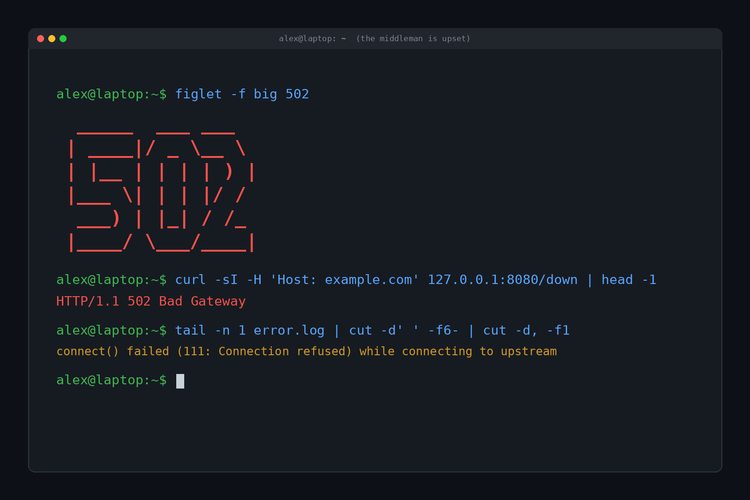
- 502 Bad Gateway: a middleman server got a broken answer from the server behind it. Full story in our 502 guide.
Quick Answers
Is a 404 error my fault?
Usually not. Unless you typed the address yourself and made a typo, a 404 normally means the site moved or deleted a page without redirecting the old link.
Does a 404 mean the website is down?
No. A 404 proves the site is up, because the server answered you. It just has nothing at that specific address. A site that's down gives you a connection error or a 5xx code instead.
Was the 404 error named after a room at CERN?
No. That's folklore. CERN's own wiki calls the Room 404 story a myth, and the number came from the original HTTP numbering scheme.
Can a 404 page contain a virus?
A real 404 page is just a web page like any other, so it's as safe as the site serving it. Be wary of 404 pages that suddenly push downloads or "fix your PC" pop-ups.
What's the difference between 404 and 410?
A 404 means "not found, no idea if it's coming back." A 410 means "removed on purpose, gone for good."
TL;DR
A 404 Not Found error means the server is working but has nothing at that address, usually because a page was moved, deleted or mistyped. The number comes from HTTP's original numbering scheme, not a room at CERN. Check the URL, chop it back, search the site, or try the Wayback Machine. If it's your site, redirect moved pages and keep real 404 codes on your error page.