You click "Place order." The spinner spins. And then, instead of a confirmation page, you get a plain white screen that says 500 Internal Server Error. No explanation. No apology. Just a number and a vague sense that something, somewhere, is on fire.
Short answer: a 500 Internal Server Error means the website's server ran into a problem it didn't expect and couldn't finish your request. It's the server's version of "something went wrong, and I'm not going to tell you what." The problem is almost always on the website's end, not yours. As a visitor you can usually only refresh, wait or come back later. If it's your site, the real cause is sitting in your server's error log.
So what actually breaks behind that screen, why is the message so unhelpful, and what can you do about it? Let's crash a server on purpose and find out.
What Is a 500 Internal Server Error?
Every time your browser asks a website for a page, the server answers with a three-digit HTTP status code. Codes in the 200s mean success. Codes in the 400s mean the request had a problem, like the famous 404 Not Found. Codes in the 500s mean the server itself messed up.
500 is the most generic of them all. The official definition, which has barely changed since HTTP/1.0 was written up in 1996, says the server "encountered an unexpected condition" that stopped it from fulfilling the request. The current HTTP standard, RFC 9110, keeps the same idea. In practice it's the catch-all: if the server knows something broke but has no more specific code for it, it sends a 500.
That's why the message feels so useless. It's not hiding the details to be rude. Often the part of the server that sends the error page genuinely doesn't know what went wrong deeper inside the application. It just knows the answer never came back clean.
What a 500 Error Looks Like From the Inside
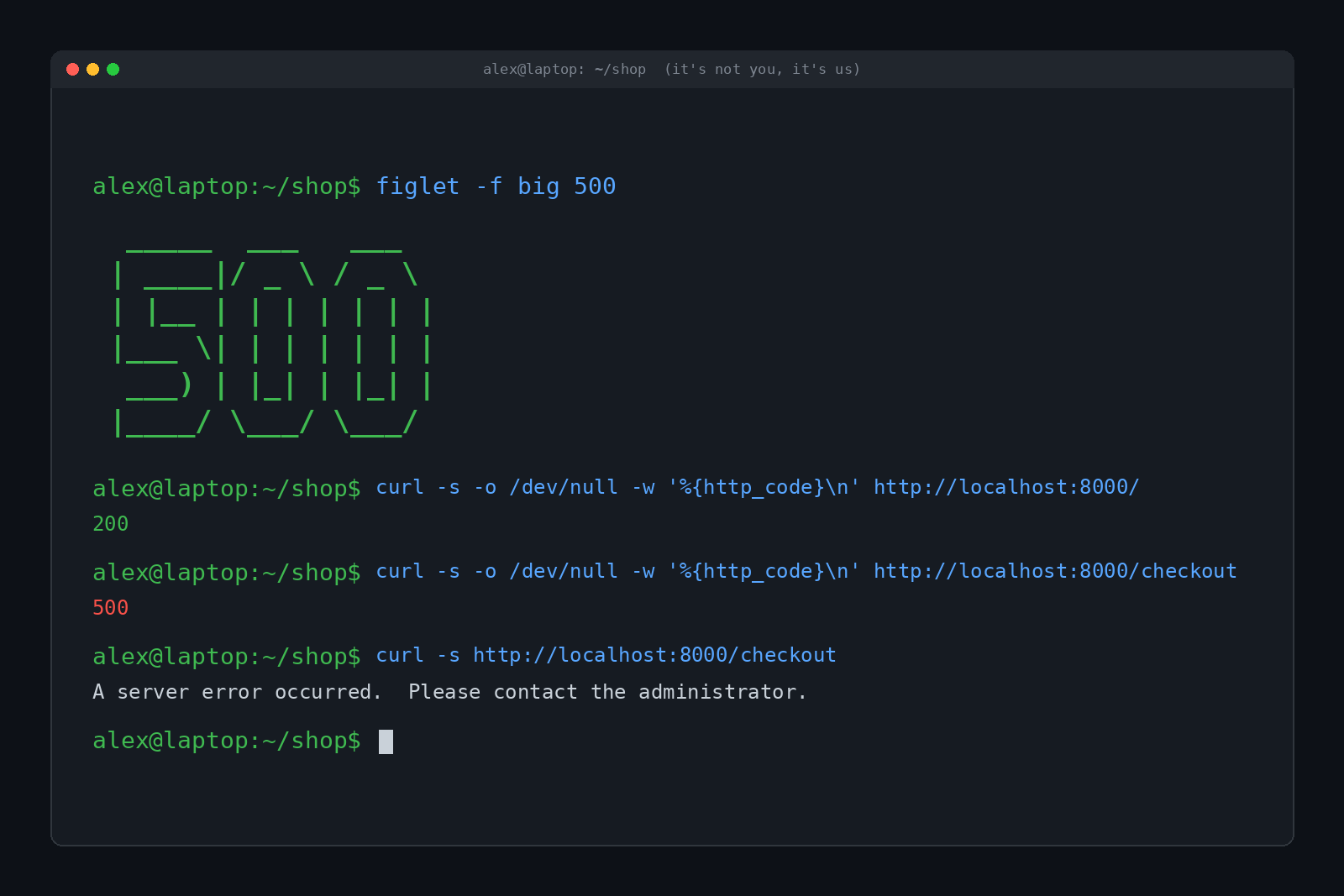
To see this for real, we built a tiny fake web shop on a test laptop. The home page works fine. The checkout page has a classic bug: it divides the cart total by the number of items, and the cart comes back empty. Dividing by zero is something computers really do not enjoy.
Here's what a visitor (or curl, a command-line tool for fetching web pages) sees:
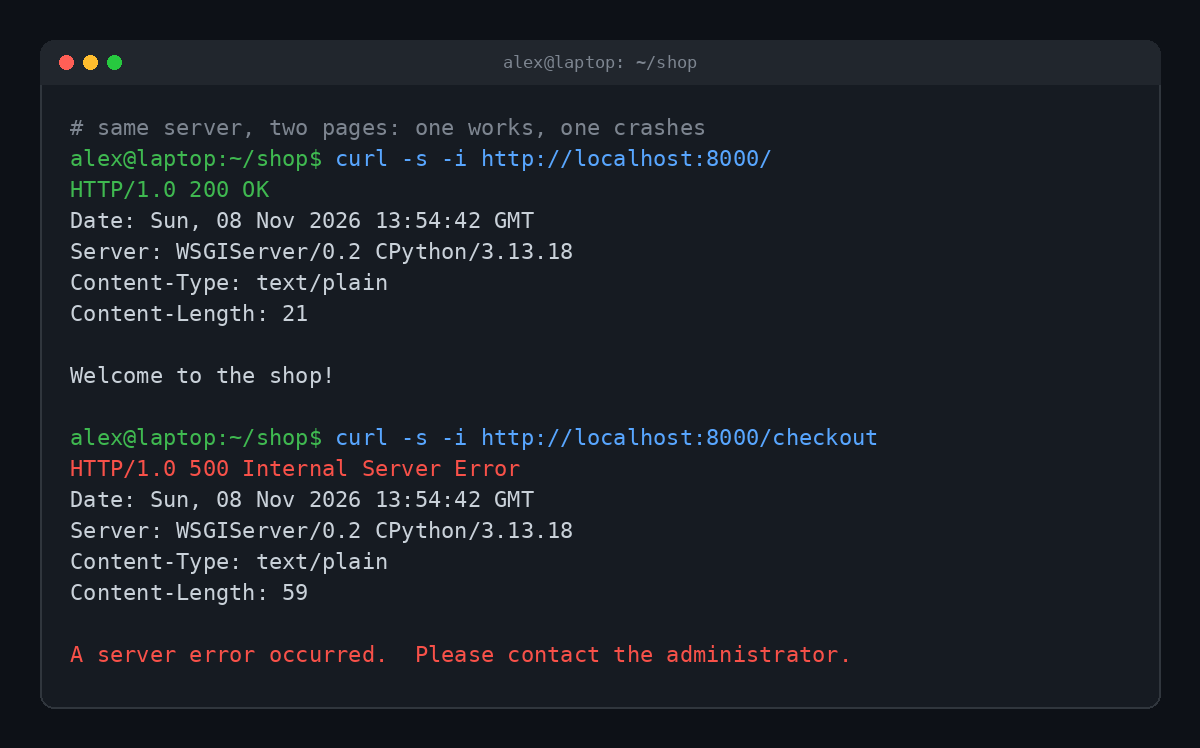
Notice that the server is clearly alive. It answered the first request perfectly. The 500 only happens on the one page with broken code. That's typical: a 500 usually means "this specific thing failed," not "the whole website is down."
Now here's the same moment from the server's side. While the visitor got one bland sentence, the server's log got the full story:
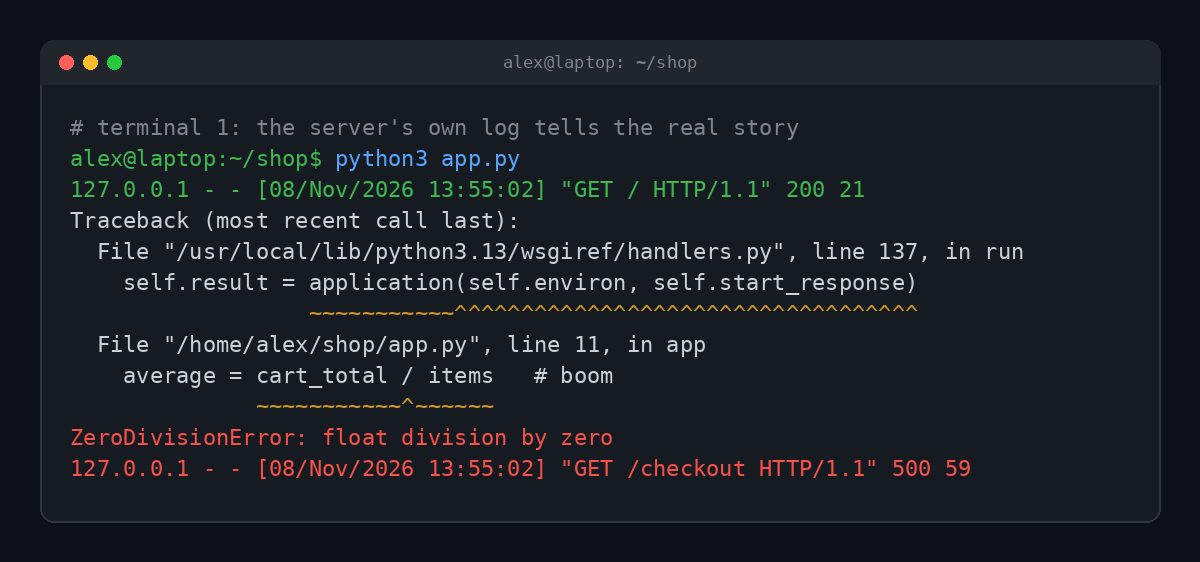
File name, line number, the exact line of code and the error type: ZeroDivisionError. That's what a developer needs to fix it, and it's exactly what visitors should never see. Showing raw errors to the public can leak file paths, software versions and sometimes even passwords, which is a gift to attackers. So servers show a generic 500 page out front and keep the details in the back.
What Causes a 500 Internal Server Error?
The causes vary wildly, which is part of why the code is so vague. The most common ones:
- A bug in the website's code. Like our divide-by-zero, an unhandled error in the app crashes the request.
- A bad update. A new version of a plugin, theme or app that doesn't play nicely with the rest of the site.
- A broken configuration file. One typo in a server config file (on Apache servers, often a file called
.htaccess) can take down every page. - Wrong file permissions. If the server isn't allowed to run or read a file it needs, it can fail with a 500.
- Running out of memory. The app hits its memory limit partway through and gets killed.
- The database is having a bad day. The site can't connect, or a query fails, and the code doesn't handle it gracefully.
If you run WordPress, you've probably met the friendlier version: "There has been a critical error on this website." That message, added along with WordPress's recovery mode in version 5.2, shows up when PHP hits a fatal error, and behind the scenes it's still a 500. Most of the time the culprit is a plugin or theme that was just updated.
500 vs 502, 503 and 504
The 500 has a whole family of more specific siblings, and the difference tells you a lot about where the problem is. Here's the full list, straight from Python's built-in table of HTTP codes:
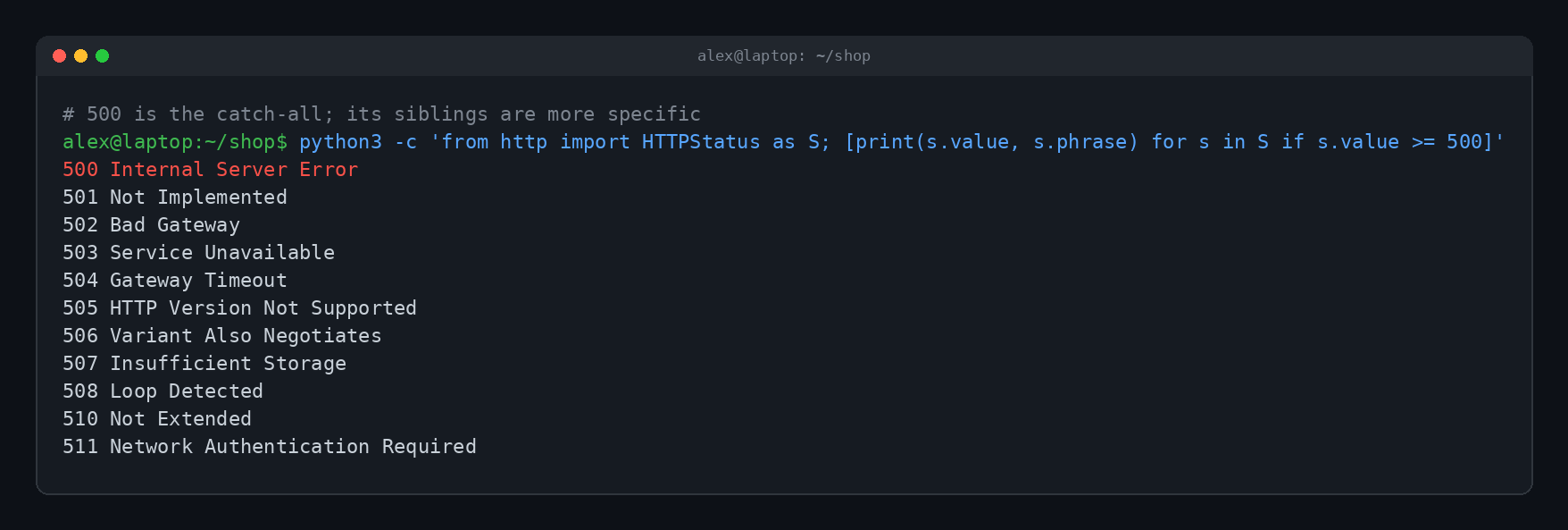
The ones you'll actually run into:
| Code | What it means | Plain English |
|---|---|---|
| 500 Internal Server Error | The server hit an unexpected problem | "Something broke in here." |
| 502 Bad Gateway | A server in the middle got a bad answer from the one behind it | "The kitchen sent out garbage." |
| 503 Service Unavailable | The server is overloaded or down for maintenance | "We're closed, try again soon." |
| 504 Gateway Timeout | A server in the middle waited too long for an answer | "The kitchen never answered." |
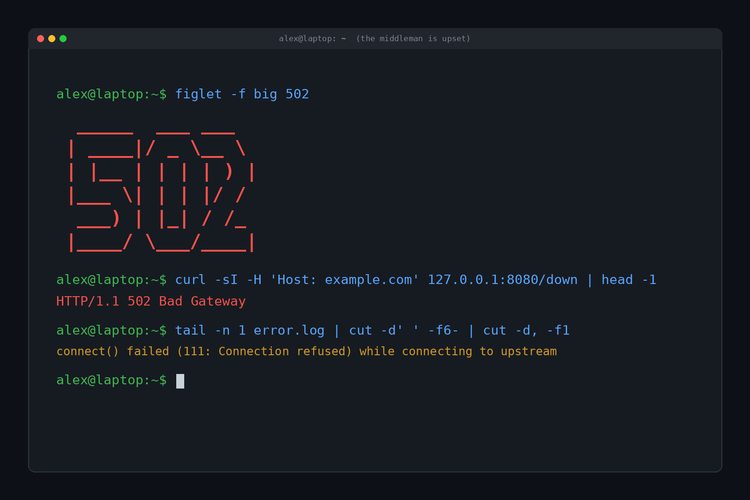
Big websites usually have layers: a front server or content delivery network that talks to the application behind it. A 502 or 504 often comes from that front layer complaining about the back one. We dig into that setup in What Is a 502 Bad Gateway Error? A 500 usually means the application itself got the request and then fell over.
How to Fix a 500 Error as a Visitor
The bad news: you mostly can't fix it, because it isn't your problem. But a few things are worth trying:
- Refresh the page. Some 500s are one-off hiccups, like a database blip. Wait a few seconds and try again.
- Be careful with payments. If it happened while paying or submitting an order, don't hammer refresh. Check your email or bank first to see if it went through, so you don't pay twice.
- Come back later. If the site just pushed a bad update, someone is probably scrambling to fix it right now.
- Clear your cache and cookies for that site. Rarely, a stale cookie triggers a bug. Our guide to what "clear your cache" actually means shows how without nuking everything.
- Check if it's just you. Try another browser, your phone on mobile data, or a "down for everyone or just me" checker. If it's broken everywhere, it's the site.
- Tell them. If it keeps happening on a site you care about, contact the site. Mention the page, the time, and any error ID shown on the page.
How to Fix a 500 Error on Your Own Site
If it's your website throwing the 500, the fix starts in one place: the logs.
- Read the error log. Your web host's control panel, your server's log folder or your app's logs will usually show the exact error, like our traceback above. This step alone solves most 500s.
- Undo the last change. Just updated a plugin, edited a config file or deployed new code? Roll it back and see if the error goes away.
- Disable plugins or extensions. On WordPress, renaming the
wp-content/pluginsfolder turns them all off at once. If the site comes back, turn them on one at a time to find the bad one. - Check config files. A single typo in
.htaccessor a similar file can cause a site-wide 500. Restore a known-good copy. - Check permissions and memory. Make sure files are readable by the server and the app has enough memory to run.
- Ask your host. If you're on shared hosting and the logs don't help, the host can see server-level errors you can't.
Don't leave it too long. Search engines notice too. Google's crawler slows down when a site keeps returning server errors, and pages that return 5xx errors for a long time can drop out of search results.
Quick Answers
Is a 500 error my fault?
Almost never. It means the website's server failed while handling your request. Your device and internet connection are usually fine.
How long does a 500 error last?
It depends on the cause. A temporary glitch can clear up in seconds, while a bad update lasts until the site's owner fixes or rolls it back.
Can a 500 error be caused by my browser?
Rarely. A corrupted cookie or odd request can trigger a bug on the server, which is why clearing that site's cookies sometimes helps. The bug is still on the server side.
Does a 500 error mean the site was hacked?
Usually not. Bugs, bad updates and configuration mistakes are far more common causes. A hacked site can throw 500s, but there's no reason to assume it from the error alone.
What's the difference between 500 and 503?
A 500 means something unexpected broke. A 503 means the server is temporarily unavailable, usually because it's overloaded or down for planned maintenance.
TL;DR
A 500 Internal Server Error is the web server's catch-all for "something broke and I didn't plan for it." The cause is on the website's side, usually a code bug, a bad update, a broken config file or a resource limit. As a visitor, refresh, wait, and be careful with payments. As a site owner, open the error log, because the real answer is always written down there.