If you landed here, chances are you just ran into a 403 Forbidden error. Maybe on a website, maybe on a file someone shared, maybe on your own project. And now you're wondering what you did to upset the internet gods.
What Does "403 Forbidden" Actually Mean?
In plain English: you asked for something the server doesn't want to share with you.
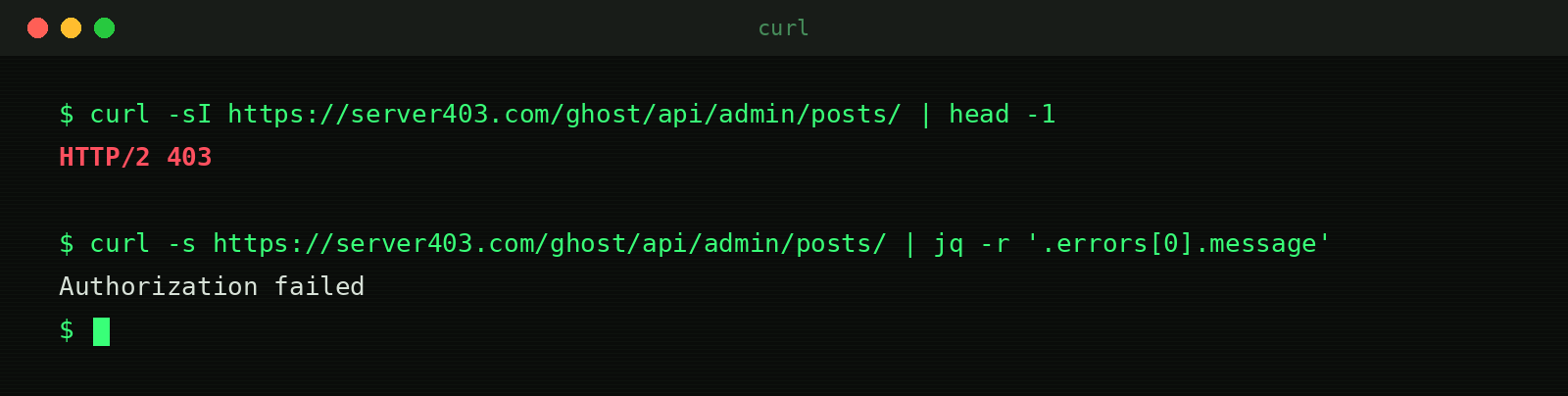
A 403 is an HTTP status code. It means the server understood your request perfectly well, and it's refusing to fulfill it. Unlike a 404, where the page doesn't exist, a 403 means the page does exist. You're just not allowed to see it.
Basically: "I know what you want, I have it, and... nope."
 Server403
403 vs 401 vs 404
These three get mixed up a lot, so here's the quick version:
- 401 Unauthorized: "I don't know who you are." You need to log in, and logging in might fix it.
- 403 Forbidden: "I know who you are, and the answer is still no." Logging in again usually won't help, because the problem is permission, not identity.
- 404 Not Found: "That doesn't exist here." Either the page was moved or deleted, or the link is wrong.
Common Reasons You're Seeing a 403 Error
- Permission settings: the server is set up to block access to that file or folder.
- Wrong account: you're logged in, but your account doesn't have rights to that page. This happens a lot with shared files in Google Drive, OneDrive or SharePoint.
- IP or location blocking: the site is rejecting traffic from your network, your country, or a VPN address it doesn't trust.
- Bot protection: firewalls and security services can flag normal visitors as bots, especially if you're on a VPN, using an unusual browser extension, or loading pages very fast.
- No index page: you tried to open a folder with no
index.htmlorindex.phpin it, and the server is set not to list folder contents. - Hotlink protection: you're trying to load an image or file directly from a site that blocks that.
 Server403

How to Fix a 403 Error
If You're Visiting the Site
- Refresh the page. Sometimes it really is just a glitch.
- Double-check the URL. A typo can land you in a folder you were never meant to see.
- Clear your cache and cookies. Old login data can confuse a site, especially if you signed in recently.
- Try a private window. It rules out extensions and saved cookies in one step.
- Turn your VPN off, or on. If you use a VPN, the site may be blocking its address. If you don't, the site may be blocking your region.
- Check which account you're using. For shared files, make sure you're signed in with the account the file was shared with, or ask the owner for access.
If You Run the Site
- Check file permissions. On most Linux web servers, folders should usually be
755and files644. - Look at your
.htaccessfile. Watch forDeny from allrules or IP blocks you forgot about. - Add an index page. Put an
index.htmlin the folder, or turn on directory listing if you actually want it. - Review your security tools. Firewalls, security plugins and services like Cloudflare can block real visitors if their rules are too strict. Their logs usually show exactly why.
- Check your server config. On Apache or Nginx, make sure your virtual host or location blocks aren't more restrictive than you meant.
 Server403

TL;DR
A 403 means the server sees you, knows what you want, and won't let you in. Think of it as the digital version of being told, "You're not on the list." Visitors can usually fix it by refreshing, clearing their cache, switching accounts or toggling a VPN. Site owners should look at permissions, access rules and security settings.