If you've spent any time around developers in the last decade, you've heard the word Docker. It shows up in job postings, tech interviews, home server tutorials, and every conversation where someone explains why the code "works on my machine" but nowhere else. Here's what Docker actually is, how it works, the commands you'll actually use, and why it became such a big deal.
The Problem Docker Was Built to Solve
Before Docker, getting software to run reliably on a different computer was genuinely painful. A developer writes an app on their laptop. It works perfectly. They send it to a coworker. Nothing works, and the error messages make no sense.
The reason: the app depends on a specific version of a programming language, specific libraries, certain settings and maybe a few other tools. The developer's laptop has all of that set up just right. The coworker's computer doesn't, and neither does the server where the app eventually needs to live. (It's one of the classic reasons code doesn't work.)
This became known as the "works on my machine" problem, and it plagued software teams for decades. Setting up a new developer's computer could take days, and moving an app to a new server meant hoping nothing was different. Docker was built to kill that problem.
What Docker Actually Is
Docker is a tool that packages an application and everything it needs to run into one self-contained unit called a container. It was first released in 2013, and it quickly became the standard way to do this.
Think of a container like a lunchbox. Everything you need for lunch is inside: the food, the fork, the napkin. You can hand that lunchbox to anyone, and it doesn't matter what their kitchen looks like. What's inside stays the same.
A container works the same way. It bundles the app's code with the exact version of every library it needs, the right runtime, and its configuration. Run that container on your laptop, a coworker's computer or a server in a data center, and it behaves the same way.
Containers weren't invented by Docker. Linux had the building blocks for years, features that let the system isolate a group of processes so they can't see each other's files, network or memory. What Docker did was make them easy: one simple file to describe a container, one command to run it, and a public library to share them.
 Server403

Containers vs Virtual Machines
"Isn't that what a virtual machine does?" Sort of, but there's a big difference.
A virtual machine (VM) pretends to be an entire computer, with its own full operating system running on top of yours, and then your app on top of that. It's like building a whole separate house to store one piece of furniture.
A container is much lighter. Containers share the host computer's operating system kernel and only package the app and its dependencies.
| Container | Virtual machine | |
|---|---|---|
| What's inside | The app and its libraries | A full operating system plus the app |
| Startup time | Usually seconds or less | Usually a minute or more |
| Size | Often tens to hundreds of megabytes | Often many gigabytes |
| How many per machine | Dozens to hundreds | Usually a handful |
| Isolation | Good, but shares the host's kernel | Stronger, fully separate operating system |
| Best for | Running apps and services consistently | Running a different OS, or needing maximum isolation |
One wrinkle: most containers are built for Linux. On Windows and Mac, Docker Desktop quietly runs a small Linux virtual machine in the background so Linux containers have a Linux kernel to share. You mostly never notice it.
Images, Containers and Docker Hub
Three terms come up constantly:
- A Docker image is the blueprint: a read-only package describing everything the container needs. Think of it as a recipe. Images are built in layers, so if ten images all start from the same base, that base is only stored once.
- A Docker container is a running copy of an image. One image can launch as many identical containers as you want. When a container is deleted, anything it wrote inside itself goes with it, unless you saved it to a volume.
- Docker Hub is a public library of ready-made images. Need a MySQL database, an Nginx web server or a Python environment? There's already an official image for it, so you rarely start from scratch.
What a Dockerfile Looks Like
Images are built from a short text file called a Dockerfile. Here's a simple one for a small Python web app:
FROM python:3.12-slim
WORKDIR /app
COPY requirements.txt .
RUN pip install -r requirements.txt
COPY . .
CMD ["python", "app.py"]
Line by line: start from an official Python image, make a folder for the app, install its libraries, copy the code in, and say what to run when the container starts. Anyone with that file can build the exact same environment. No setup guide, no "which version did you install?"
Notice the libraries get installed before the rest of the code is copied in. That's on purpose. Docker caches each step, so if you only change your code, it skips reinstalling everything and the rebuild takes seconds.
The Docker Commands You'll Actually Use
Once Docker is installed, this one command downloads a tiny test image and runs it, which is the classic way to check everything works:
docker run hello-worldAfter that, a handful of commands cover most day-to-day use:
| Command | What it does |
|---|---|
docker pull nginx | Downloads an image from Docker Hub |
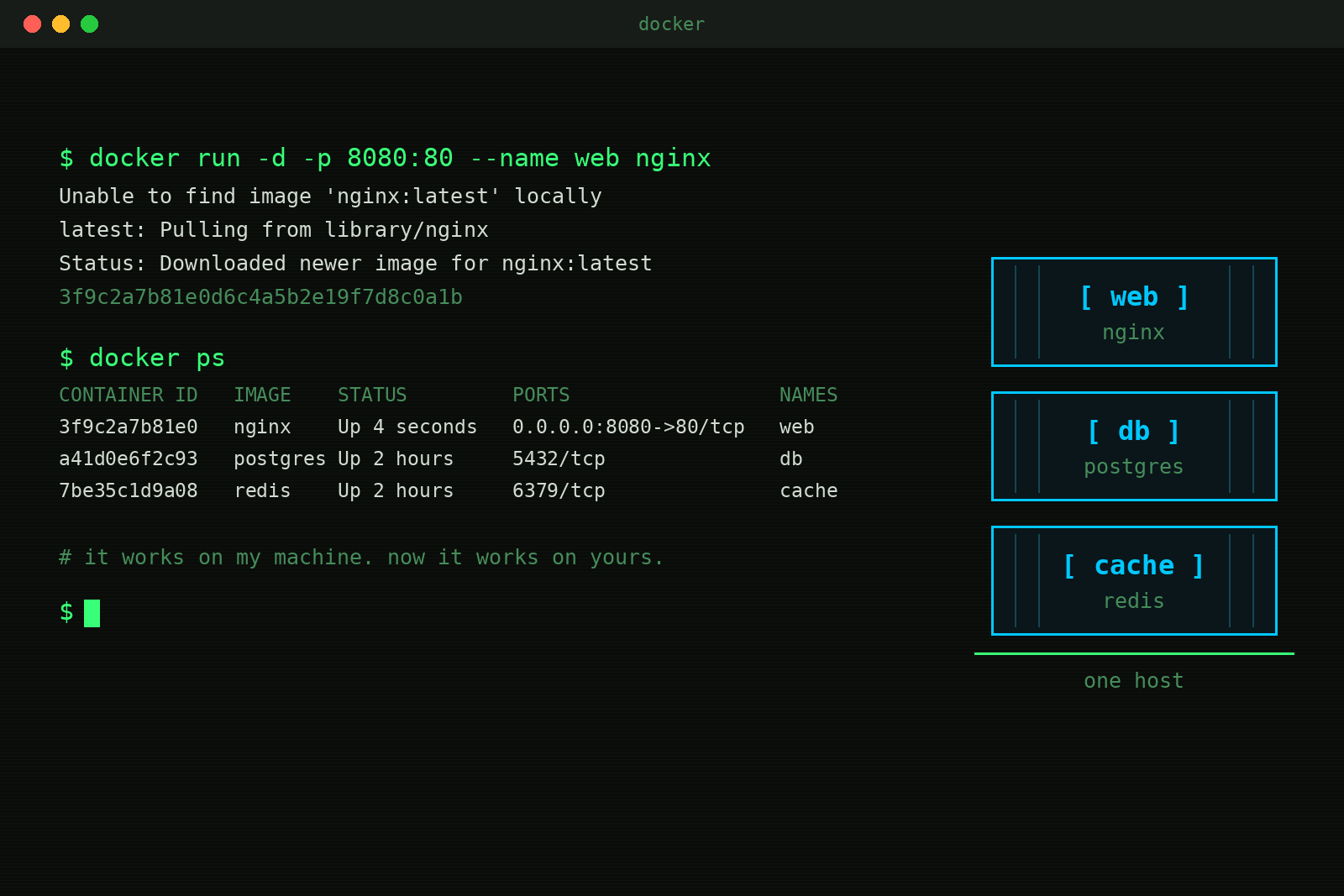
docker run -d -p 8080:80 nginx | Starts a container in the background and maps port 8080 on your computer to port 80 inside it |
docker ps | Lists running containers |
docker logs <name> | Shows a container's output, the first place to look when something breaks |
docker exec -it <name> sh | Opens a shell inside a running container |
docker stop <name> | Stops a container |
docker build -t myapp . | Builds an image from the Dockerfile in the current folder |
docker system prune | Cleans up stopped containers and unused data, which can free up a surprising amount of disk space |
Run that Nginx example, open http://localhost:8080 in your browser, and you'll see a working web server that took about five seconds to set up.
Docker Compose: Running Several Containers Together
Real apps usually need more than one piece, like a website plus a database. Docker Compose lets you describe all of them in one file and start them together:
services:
  web:
    build: .
    ports:
      - "8080:5000"
    depends_on:
      - db
  db:
    image: postgres:16
    environment:
      POSTGRES_PASSWORD: example
    volumes:
      - dbdata:/var/lib/postgresql/data

volumes:
  dbdata:
Then docker compose up starts everything, and docker compose down stops it. This is also how most home server tutorials install apps like media servers, ad blockers and photo libraries. (In a real setup, keep passwords like that in a separate environment file instead of hard coding them.)
 Server403

Why Developers Love It
- Consistent environments: everyone on a team runs the exact same setup. No more "it worked for Sarah but not for James."
- Fast onboarding: a new developer can go from a fresh laptop to a running project with one command instead of a day of setup.
- Clean separation: big applications can be split into smaller services, each in its own container, so one part can be updated or scaled without touching the rest.
- Reliable releases: you build an image once, test that exact image, and ship that exact image to production. What you tested is what goes live.
- Easy experimenting: you can spin up a database or a tool in seconds, try something, and delete it without leaving a mess on your computer.
It's also hugely popular for home servers. Many homelab and self-hosting setups run nearly everything, from media servers to password managers to network-wide ad blockers, as Docker containers.
What Docker Isn't Great For
- It adds complexity. A single small script doesn't need a container. For simple projects, Docker can be more setup than it's worth.
- It isn't automatically secure. Containers share the host's kernel, so isolation isn't as strong as a full VM. Running containers as root and pulling random unofficial images are common mistakes. Stick to official or well-known images, keep them updated, and keep passwords and keys out of your images.
- Desktop apps are awkward. Docker is built for servers and command-line tools, not apps with windows and buttons.
- Docker Desktop has licensing rules. It's free for personal use, education, open source projects and small businesses, but larger companies need a paid subscription. The core Docker Engine on Linux is free and open source.
Docker vs Kubernetes, and Docker Alternatives
You'll often hear Docker mentioned alongside Kubernetes. Docker is how you build and run containers. Kubernetes is how big companies manage thousands of them across many servers, automatically starting, stopping, moving and scaling them as traffic changes.
One common mix-up: Kubernetes doesn't actually use Docker to run containers anymore. Since 2022 it talks to lighter container runtimes like containerd directly. But images built with Docker follow an open standard, so they run on Kubernetes just fine. Build with Docker, run anywhere.
That same open standard means Docker has alternatives. Podman is the best-known one. It uses almost the same commands, doesn't need a background service running as root, and is the default on some Linux distributions.
Do You Need to Learn Docker?
If you're a developer, increasingly yes. It's a standard part of how software gets built and shipped, and job postings list it constantly. If you work in IT or ops, you'll run into it more and more as companies move their apps into containers.
If you work in tech but don't write code, it's worth understanding the idea, so "spin up a container" or "the image is broken" makes sense when you hear it. And if you're just curious, Docker is genuinely fun to play with. Install Docker Desktop, run hello-world, then try the Nginx example above. It tends to click quickly once you see it work.
Frequently Asked Questions
Is Docker free?
For most people, yes. Docker Engine is free and open source. Docker Desktop is free for personal use, education, open source work and small businesses. Larger companies need a paid plan for Docker Desktop.
Is Docker a virtual machine?
No. Containers share the host's operating system kernel instead of running their own operating system, which makes them much lighter. On Windows and Mac, Docker Desktop does use a small hidden Linux VM to run Linux containers, but the containers themselves aren't VMs.
Does Docker work on Windows?
Yes. Docker Desktop runs on Windows 10 and 11 using WSL 2, Windows' built-in way of running Linux. It runs Linux containers by default, and it can also run Windows containers.
What happens to my data when a container is deleted?
Anything saved inside the container is lost when the container is removed. To keep data, store it in a volume or a folder on your computer that's mapped into the container, like the dbdata volume in the Compose example above.
What's the difference between an image and a container?
An image is the blueprint. A container is a running copy of that blueprint. You can run many containers from one image, the same way you can bake many cakes from one recipe.
TL;DR
Docker packages an app and everything it needs into a container that runs the same way everywhere, ending the "works on my machine" problem. Containers are lighter and faster than virtual machines because they share the host's operating system. Images are the blueprints, containers are the running copies, Docker Hub is where you find ready-made images, and Docker Compose runs several containers together. Kubernetes manages containers at huge scale, and it happily runs images built with Docker.