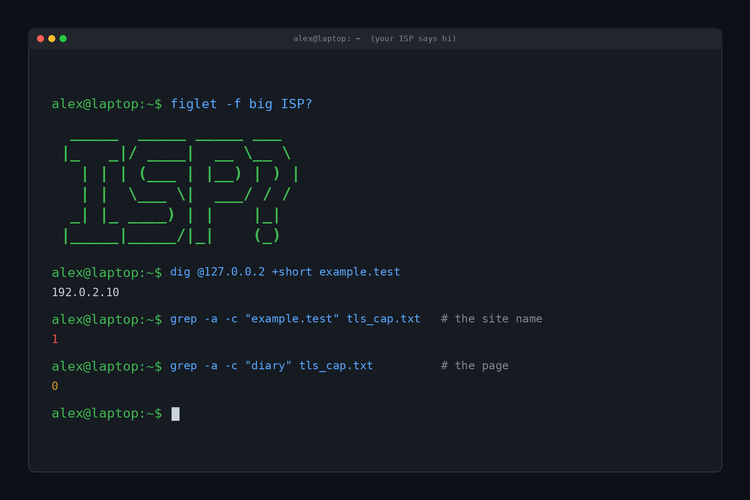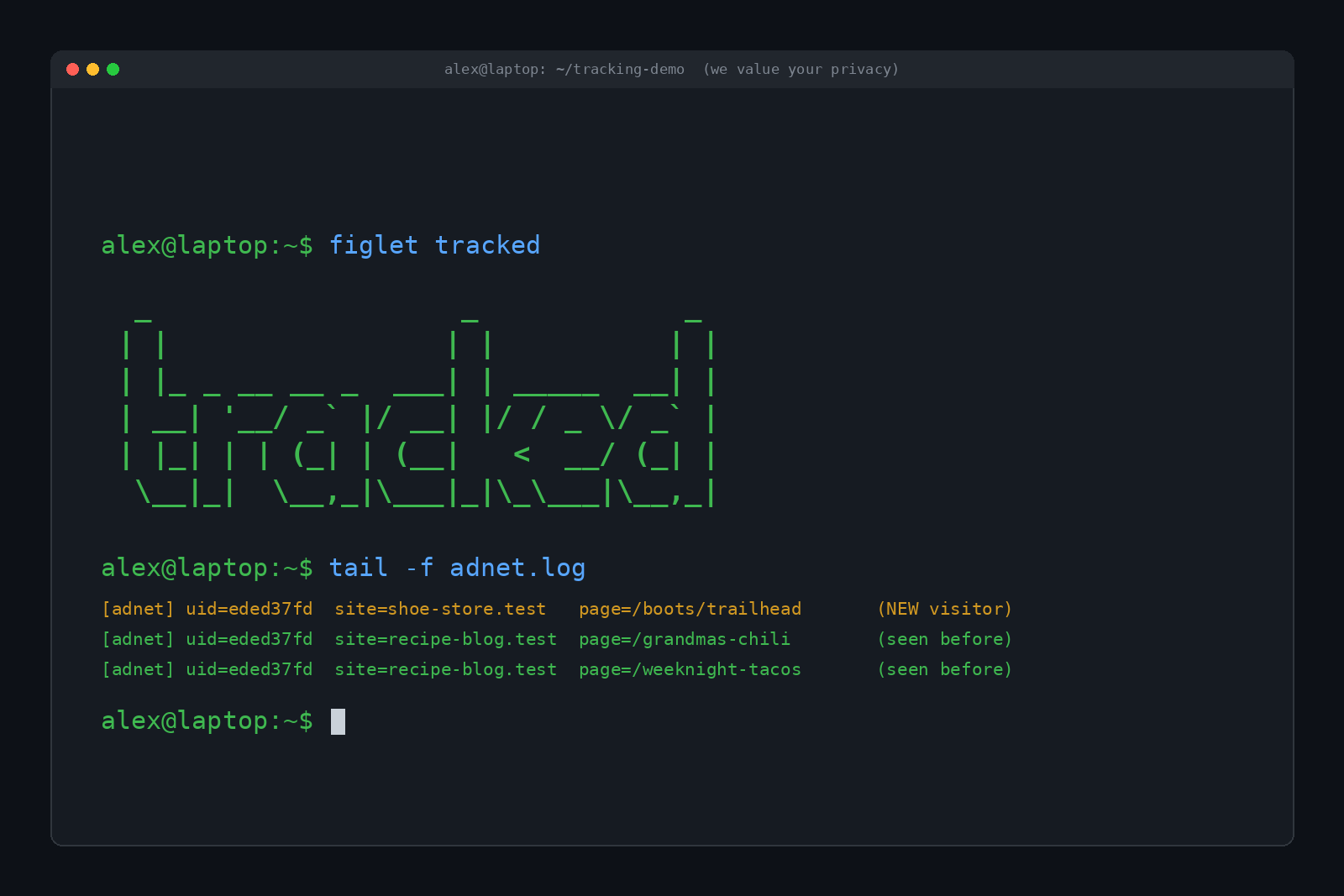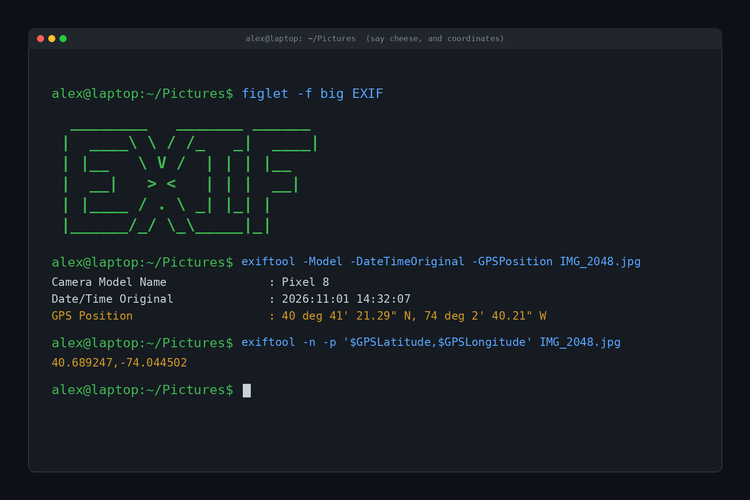
You open a new incognito window. The screen goes dark, a little spy in a hat and sunglasses shows up, and you feel like you've just slipped out the back door of the internet. Nobody can see you now. Right?
Short answer: incognito mode hides your browsing from other people who use the same device, and that's about it. When you close every incognito window, the browser throws away the history, cookies, site data and form entries from that session. But the websites you visit, your internet provider, whoever runs the Wi-Fi, and your school or employer can all still see what you're doing. If you log in to something while incognito, that site knows exactly who you are.
So what does incognito mode actually hide, what leaks anyway, and when is it still worth using? We built a tiny test website and pointed a real browser at it to find out.
What Does Incognito Mode Actually Do?
Every browser has its own name for it. Chrome calls it Incognito, Edge calls it InPrivate, and Firefox and Safari both go with Private Browsing. Under the hood they all do the same basic job.
A normal browser window saves a lot of stuff to your disk: a list of every page you visit, cookies that keep you logged in, cached images, things you typed into forms. An incognito window starts with a fresh, empty set of all that, keeps it in a separate bucket while you browse, and deletes the bucket when you close the last private window.
Google's own help page for Chrome is pretty upfront about it. After your Incognito session ends, Chrome "doesn't retain site data or a record of the sites you visited." In the same breath, it lists who can still see your activity: "websites you visit, including Google sites, and organizations that manage your network."
In other words, incognito mode is about your device, not about the internet. It's a privacy curtain for your laptop, not an invisibility cloak.
What Incognito Mode Hides (and What It Doesn't)
Here's the split for Chrome, and the other browsers are close enough:
| Incognito mode hides | Incognito mode does not hide |
|---|---|
| Your browsing history on this device | Your IP address |
| Cookies and site data, once you close the window | The sites you visit, from your ISP or Wi-Fi owner |
| Things you typed into forms | Anything you do while logged in to an account |
| Searches saved in the address bar suggestions | Activity on a work or school device that's being monitored |
| Third-party cookies (Chrome blocks them by default in Incognito) | Browser fingerprinting while the window is open |
One more thing that catches a lot of people. Chrome's help page says it keeps "bookmarks that you save and files that you download" after you exit Incognito. The download sits in your Downloads folder like any other file, ready for the next person who opens it.
We Tested It: Cookies Really Do Vanish
Let's start with the part incognito mode does well. We wrote a tiny local website that gives every new visitor an ID cookie called vid, the same way an analytics or ad script would. Then we used headless Chromium (Chrome's open source engine, running without a screen) to visit it two ways:
- A normal window with a saved profile on disk, closed and reopened between visits.
- An incognito-style window, which starts with a blank, throwaway profile every time.
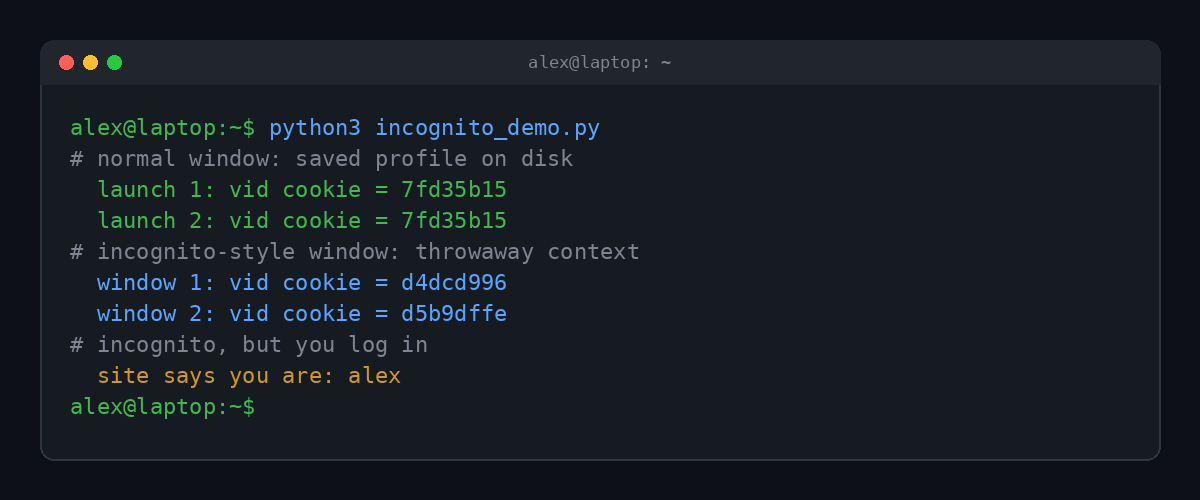
The normal window got the same ID both times (7fd35b15), even after the browser was shut down and relaunched. That cookie lives on disk, so the site recognizes you on every visit.
The incognito-style windows each got a brand new ID. Close the window, the cookie dies, and the next visit looks like a stranger. That's the good news, and it's real. For cookie-based tracking that follows you across days and weeks, incognito helps.
Now look at the last line. In a fresh private window we visited the site's login page, then went back to the homepage. The site knew exactly who we were: alex. Of course it did. We told it. Incognito mode doesn't stop you from identifying yourself, and logging in to Google, Facebook, Amazon or anything else does just that.
The Website Still Sees Everything You Send It
Here's the part people miss. Incognito mode controls what your browser keeps. It has no say over what the server receives.
Every time your browser asks for a page, it sends your IP address, the page you want, your browser type and any cookies it currently holds. That's just how HTTP works. The server is free to write all of it down, and most do. Here's what our test site's log recorded during the incognito visits:
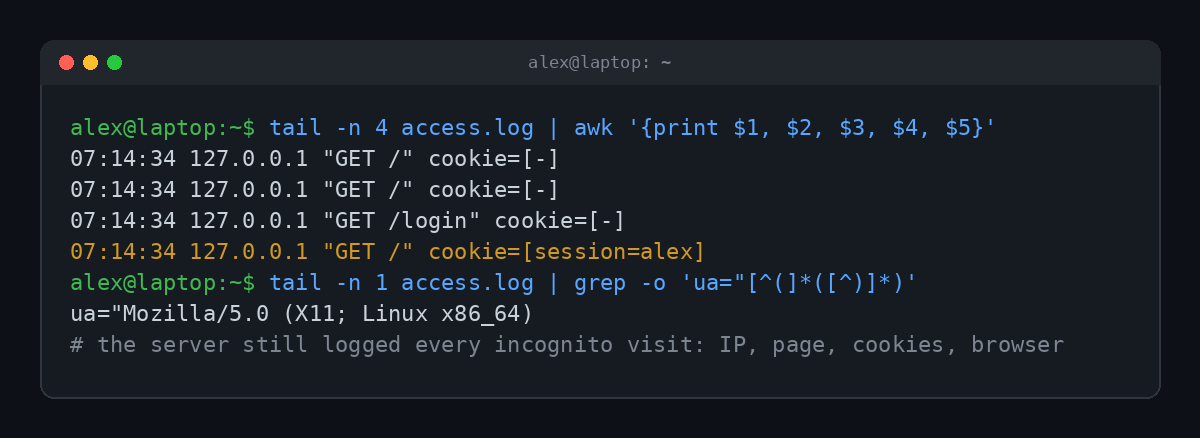
Every incognito request is in the log with a timestamp, the IP address it came from (here it's 127.0.0.1, since the test site ran on the same machine), the page, the cookies and the browser. The private window deleted its own copy of the visit. The website's copy is still sitting on the server.
A real site would also see your public IP address, which can point to your rough location and your internet provider. If you've never thought about how much that reveals, our post on how websites track you across the internet goes through IP addresses, tracking pixels and fingerprinting in detail.
Who Can Still See Your Incognito Browsing?
Let's go through the usual suspects.
The websites you visit
As the log shows, yes. Plus any ad, analytics or social media scripts loaded on those pages. Blocking third-party cookies makes their job harder, but they can still see your IP address and can try to identify your browser by its fingerprint while the window is open.
Your internet provider and the Wi-Fi owner
Yes. Your traffic leaves your device the exact same way in a private window. Your ISP, the coffee shop router or your landlord's Wi-Fi can still see which sites you connect to, usually through your DNS lookups and the site name sent at the start of every HTTPS connection. We captured that traffic for real in Can My ISP See My Browsing History, Even With HTTPS?
Your school or employer
Yes, and often more than an ISP can. Networks run by organizations usually log traffic, and a managed laptop may have monitoring software or a custom security certificate installed. On a device someone else controls, assume incognito mode hides nothing from them.
Google, if you're using Chrome
This one went to court. In 2020, Chrome users filed a class action claiming Google kept collecting data about them while they browsed in Incognito, through Google's analytics and ad tools that run on millions of sites. The plaintiffs originally sought $5 billion. In April 2024, Google settled by agreeing to delete billions of old private browsing records, rewrite its Incognito disclosures to make clear that it collects data in private mode, and limit some of its data collection for five years. No money went to the class, though individual users can still sue for damages on their own.
The takeaway isn't "Google is uniquely evil." It's that the websites and services you visit can collect data whether or not your browser is in private mode. The new disclosure language basically says so.
Someone with your device later
Mostly no, which is the whole point. But a few traces can survive. Researchers have found leftover private browsing evidence in places like the operating system's DNS cache, memory and swap files. And browser extensions you allow in private mode can record whatever they like. For hiding a gift purchase from your family, incognito is fine. For hiding something from a forensic investigator, it isn't built for that.
A Quick History of "Porn Mode"
Private browsing has been around longer than most people think. Apple's Safari had it by 2005, making it one of the first major browsers with the feature. Google launched Chrome's Incognito mode in December 2008, Internet Explorer 8 added InPrivate in March 2009, and Firefox 3.5 got Private Browsing in June 2009.
Almost immediately, tech writers nicknamed it "porn mode." A 2005 Lifehacker post called it Safari's "private (porn) browsing mode," and the nickname stuck hard during the IE8 beta in 2008. Nobody officially picked that name, so treat the exact origin as internet folklore. But the nickname tells you exactly who the feature was designed to hide things from: the next person at the keyboard, not the internet.
Private Modes Are Getting Smarter
The good news is that browsers have started adding real anti-tracking protections to their private modes, not just a history wipe.
- Safari: Since Safari 17 in 2023, Private Browsing blocks known trackers, strips some tracking parameters from links, adds noise to common fingerprinting tricks and turns off extensions that can read website data by default. On iPhone and Mac, private windows can also lock when you're not using them.
- Firefox: In its Standard setting, private windows turn on extra protections that normal windows don't get, including blocking tracking content, fingerprinting protection and sending Global Privacy Control.
- Chrome: Incognito blocks third-party cookies by default, even though regular Chrome windows still allow them.
That Global Privacy Control signal tells sites not to sell or share your data, and in several US states they're legally required to listen. We covered it in What Is Global Privacy Control (GPC)?
When Incognito Mode Is Actually Useful
It's not useless. It's just a different tool than the spy hat suggests. Good uses:
- Shared or borrowed computers. Checking your email on a friend's laptop or a hotel PC? A private window means your login doesn't stick around after you close it.
- Gift shopping. Keep surprise purchases out of the history and the address bar suggestions on the family computer.
- A second account. Log in to a different account on the same site without signing out of your main one.
- Seeing a site as a stranger. Check what a page looks like without your cookies, logins or personalized results. Web developers do this all day.
- Cutting long-term cookie tracking. Ad cookies from a private session don't follow you into tomorrow.
What to Use When You Need Real Privacy
If you want to hide your browsing from more than your roommate, stack incognito with tools that work at the network level:
- Encrypted DNS keeps your ISP from reading the list of sites you look up.
- A trustworthy VPN hides your traffic from your ISP and your IP address from websites. It moves the trust to the VPN company, and it doesn't stop logins or cookies from identifying you. We dug into that in What Is a VPN and Does It Actually Keep You Anonymous?
- Tor Browser routes traffic through three volunteer relays and is designed so that sites and networks see as little as possible. It's slower, but it's the real thing.
- A tracker blocker such as uBlock Origin or Privacy Badger stops a lot of tracking scripts before they load.
And the simplest one of all: don't log in if you don't want to be recognized. No browser mode can un-tell a website your name.
Quick Answers
Does incognito mode hide your IP address?
No. Every site you visit still sees your IP address. Only a VPN, Tor or a proxy changes the IP address websites see.
Can my parents or the Wi-Fi owner see my incognito history?
They can't see it in the browser's history, but whoever runs the network can still see which sites you connect to through the router or network logs.
Does incognito mode protect you from viruses?
No. Malware, phishing pages and sketchy downloads work exactly the same in a private window. It's a privacy feature, not a security feature.
Can websites tell you're using incognito mode?
Sometimes. Browsers have closed most of the old detection tricks, but sites can still guess from things like missing cookies or storage limits.
Are downloads deleted when I close incognito?
No. Files you download stay in your Downloads folder, and bookmarks you save are kept, too.
TL;DR
Incognito mode hides your browsing from other people who use your device by throwing away history, cookies and form data when you close every private window. It does not hide your activity from websites, your ISP, the Wi-Fi owner, your employer or any account you log in to, and our test server logged every incognito visit. Use it for shared computers and gift shopping, and add encrypted DNS, a VPN or Tor when you want real privacy.